

Performing a Quick Search
Test ideas and keywords with a lightweight search before creating a full project.



Test a brand, topic, campaign, or issue before turning it into a saved listening project.
Quick Search is the fastest way to move from an idea to live results. Use it when you need to validate whether a query is useful, check recent conversation volume, or explore a topic before deciding whether it deserves a full project setup.
Quick Search can be reached from the top action bar when it is available for your account and workspace context. Some navigation entries are dynamic, so Quick Search may be hidden when there are no usable saved searches yet or only a seeded sample search exists.
When To Use Quick Search
Use Quick Search for:
- Checking whether a brand, competitor, campaign, hashtag, or public issue has enough mentions to monitor.
- Testing a Boolean query before saving it as a project.
- Running one-off investigations that do not need ongoing alerts or scheduled reports.
- Comparing query variations before choosing the final wording.
- Finding example mentions quickly for a meeting or report.
Use a saved project instead when you need team ownership, reusable topics, report branding, notifications, social tracking sources, or regular exports.
1. Open Quick Search
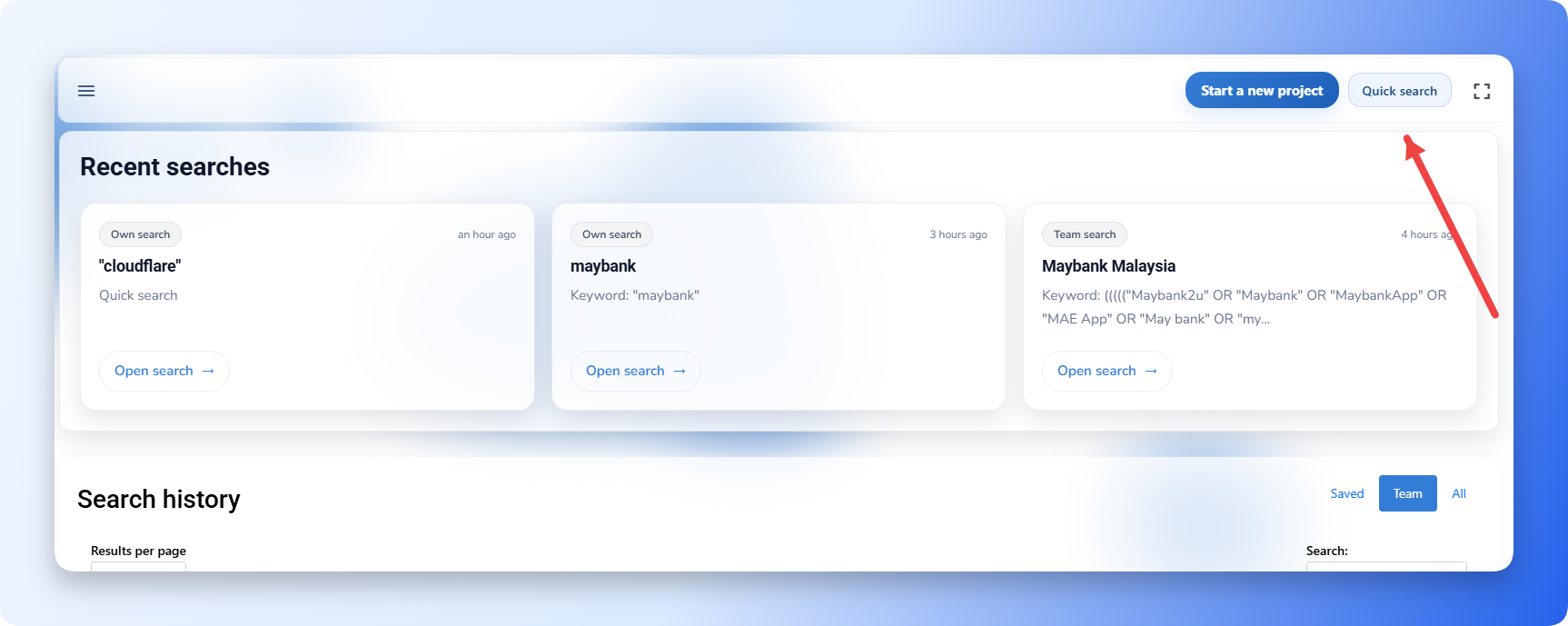
- Open Kommon Poll.
- Use the top action bar or available navigation entry to open Quick Search.
- Confirm that you are in the correct team context if your account belongs to multiple teams.
- Decide whether you want AI to generate the Boolean query or whether you want to build it manually.
The team context matters because usage quota, saved searches, linked sources, report formats, and notification settings can be team-specific.
2. Build A Query With AI Boolean Builder
AI Boolean Builder is useful when you know the brand or topic but do not want to write Boolean logic from scratch.
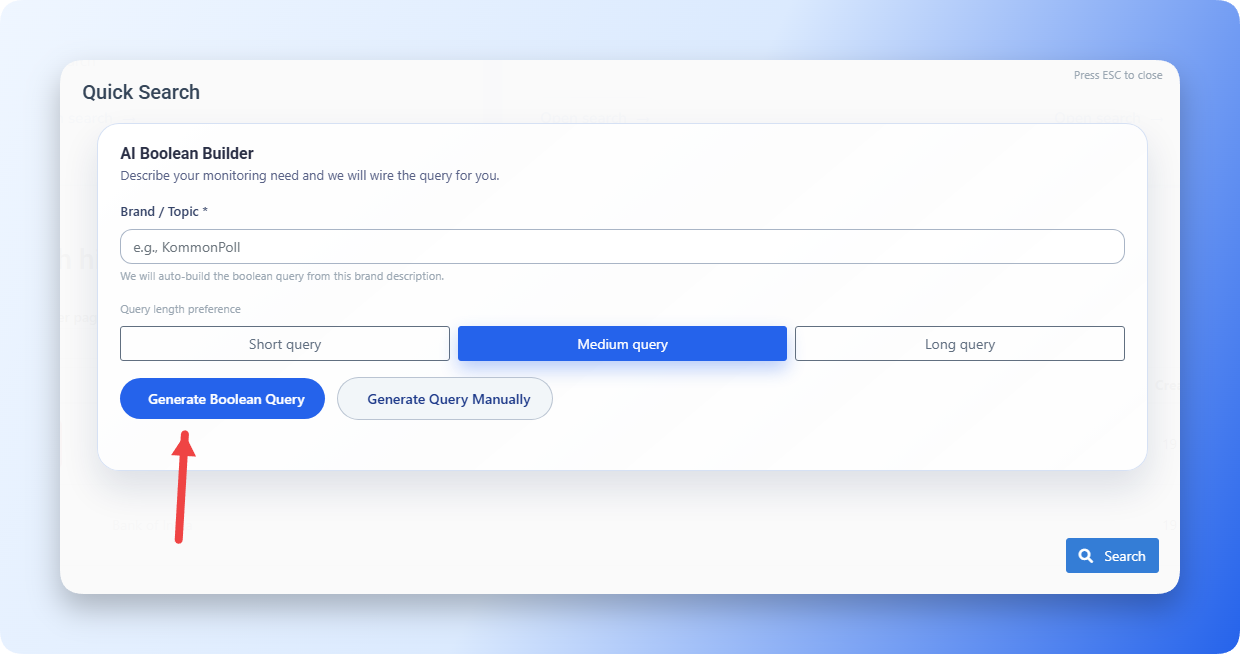
- Enter the brand, product, campaign, competitor, hashtag, or topic you want to search.
- Choose the query length:
- Short Query for quick testing and narrow topics.
- Medium Query for most brand and campaign searches.
- Long Query for broad topics, multiple product names, or complex competitor spaces.
- Click Generate Boolean Query.
- Wait while Kommon Poll generates the query.
- Review the generated logic in the builder.
- Fix obvious problems before searching, such as missing brand spellings, overly broad topic words, or exclusions that are too aggressive.
Kommon Poll attempts to clean the generated Boolean query and apply it to the visual query builder. If the UI shows that the generated query needs review, adjust it before running the search.
3. Build A Query Manually
Manual mode gives you full control over the exact query logic.
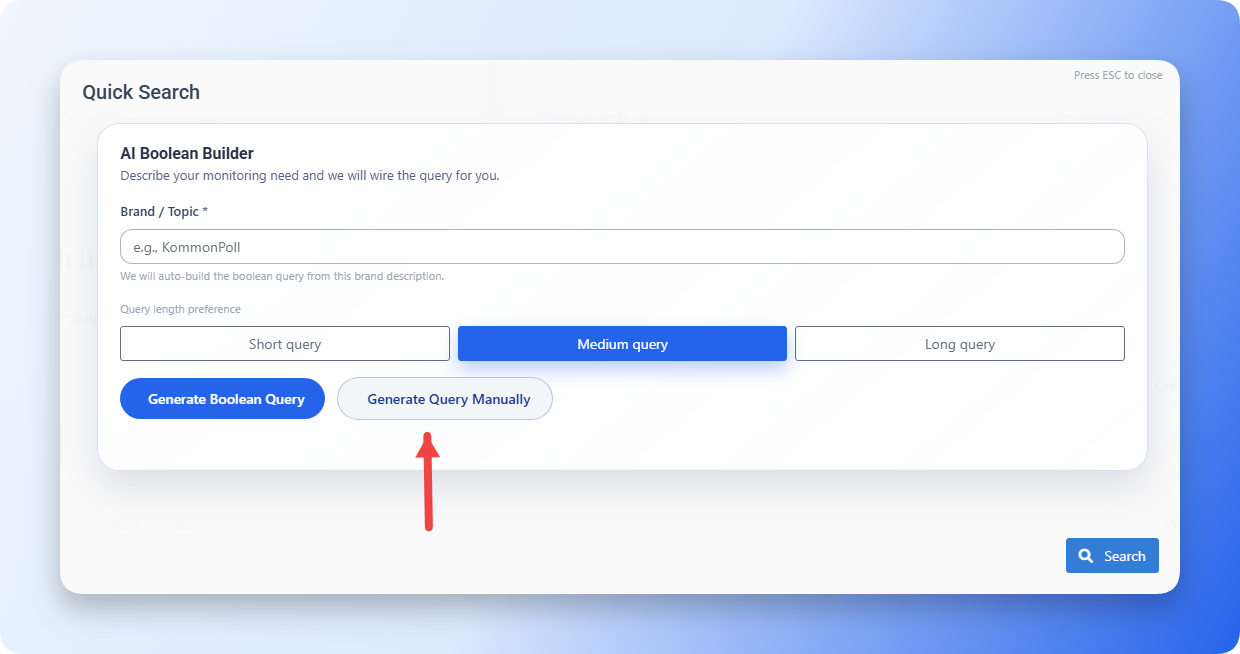
- Click Generate Query Manually.
- Add your first keyword, phrase, hashtag, or handle.
- Choose where the rule should match, such as the entire mention, title, or text content.
- Choose the match type, such as contains phrase, contains, does not contain phrase, or does not contain.
- Add more rules for variations and related terms.
- Group related rules with OR when any term may match.
- Use AND only when every concept must be present.
- Add exclusions for repeated noise after you see sample results.
Manual mode is best for precise monitoring, regulated terms, ambiguous brand names, crisis queries, and competitor comparisons.
4. Use Good Boolean Patterns
Start simple, then refine.
Use quoted phrases for exact names:
"Kommon Poll"Use OR for variations:
("Kommon Poll" OR KommonPoll OR kommonpoll.com)Use AND when a topic must appear with the brand:
("Kommon Poll" OR KommonPoll) AND (pricing OR dashboard OR report)Use NOT for obvious noise:
("Commercial Bank" OR ComBank) NOT cricket NOT "trading card"Use filters instead of query text for structured attributes such as platform, date range, sentiment, author, domain, country, language, demographics, tags, subtopics, intents, reach, or priority.
5. Run The Search
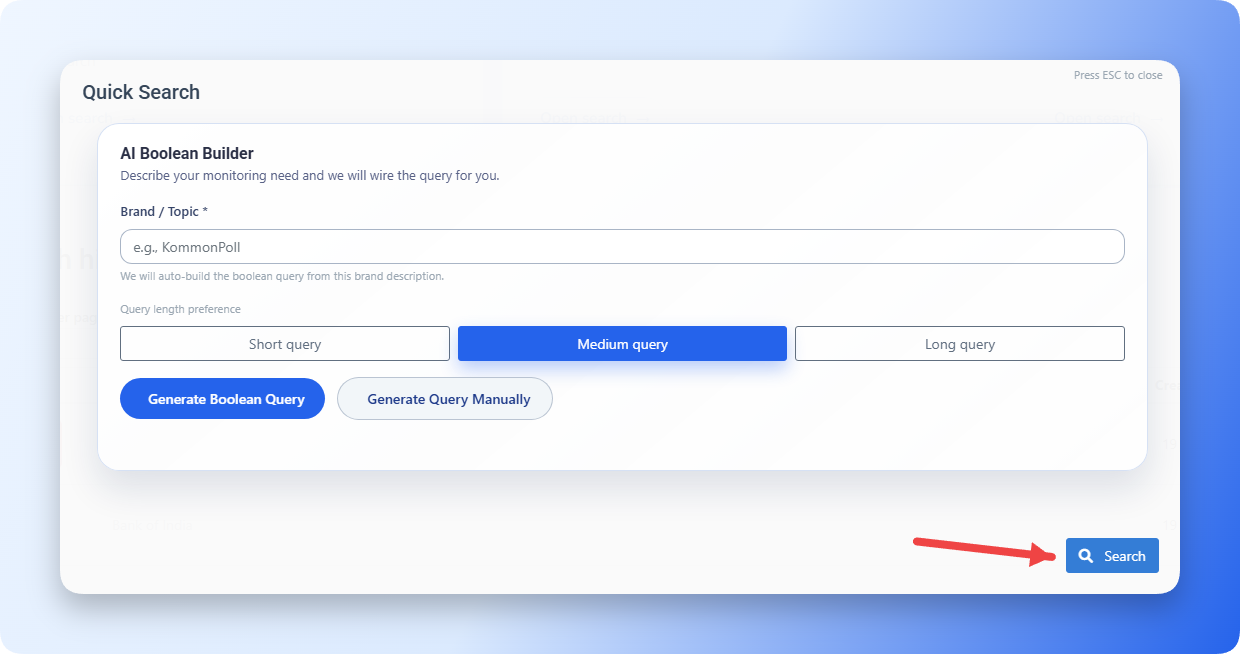
- Review the final query.
- Click Search.
- Wait for the results to load.
- Check the Overview and Mentions tabs first:
- Overview tells you whether the query has meaningful volume and trend movement.
- Mentions tells you whether the returned content is actually relevant.
- Apply filters if the result set is too broad.
- Search inside the Mentions feed if you need a specific word, handle, or issue inside the current result set.
If the results are too noisy, return to the query and add targeted exclusions. If the results are too small, broaden the query with more spelling variations, hashtags, or related terms.
6. Decide Whether To Save The Search
Save the search when it will be reused, shared, reported on, or monitored over time.
When saving, complete the project details:
- Enter a clear project title.
- Select the project type, such as General, My Brand, Sub Brand, Competitor, Campaign, or Industry.
- Add or select the related brand when the project type requires it.
- Choose the team.
- Choose the team member or owner where the field is shown.
- Add a project description that explains what to include and exclude.
- Add project topics. The current UI supports adding up to 10 focus topics.
- Use Suggest description or Suggest topics if you want AI help drafting those fields.
- Save the project.
After saving, the search can appear in Saved Searches, Team Saved Searches, search history, report exports, notification setup, and search settings.
7. What To Check After Running
Review these signals before you treat a Quick Search as final:
| Check | What it tells you |
|---|---|
| Mention count | Whether the topic has enough data to monitor. |
| Top platforms | Where the conversation is happening. |
| Sentiment mix | Whether the query is capturing praise, complaints, or neutral discussion. |
| Recent mentions | Whether the actual posts match your intent. |
| Authors and domains | Whether important sources are present or noisy sources dominate. |
| Hashtags and topics | Whether related language should be added to the query. |
| Priority or scam flags | Whether urgent or risky content is appearing. |
8. Common Quick Search Mistakes
- Searching only one spelling of a brand name.
- Using broad words without the brand name.
- Adding too many exclusions before reviewing results.
- Putting country, language, platform, or sentiment inside the query instead of using filters.
- Saving a query before checking the Mentions tab.
- Forgetting to switch to the correct team before saving.
Quick Search is most effective when you use it as a test loop: search, inspect mentions, refine the query, apply filters, then save only when the results match the monitoring goal.